To print mailing labels, follow the steps listed below:
1. Click the Groups tab and check the box next to the Group(s) you'd like to print mailing labels for.
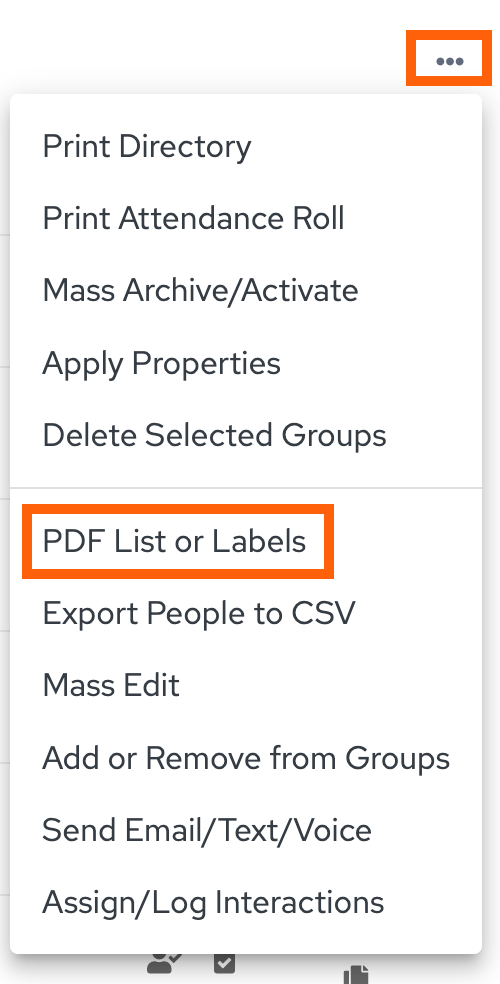
2. Click the Tri-Dot icon and choose Print PDF List or Labels
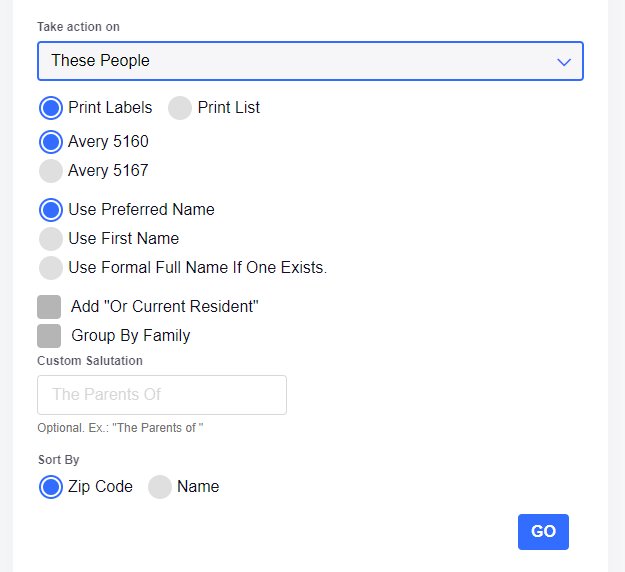
3. Choose a label format. Either Avery 5160 or Avery 5167. Select any of the other options that apply, then click GO!
Updated
Was this article helpful?
0 out of 0 found this helpful
Have more questions? Submit a request
Sorry about that! How can we improve this article?
Thanks! Your feedback helps us improve!
There was a problem submitting your feedback. Please try again later.
If you have an issue that requires help or feedback, please Contact Support.