Building a Ministry Workflow is simple. You just have to follow 4 short steps:
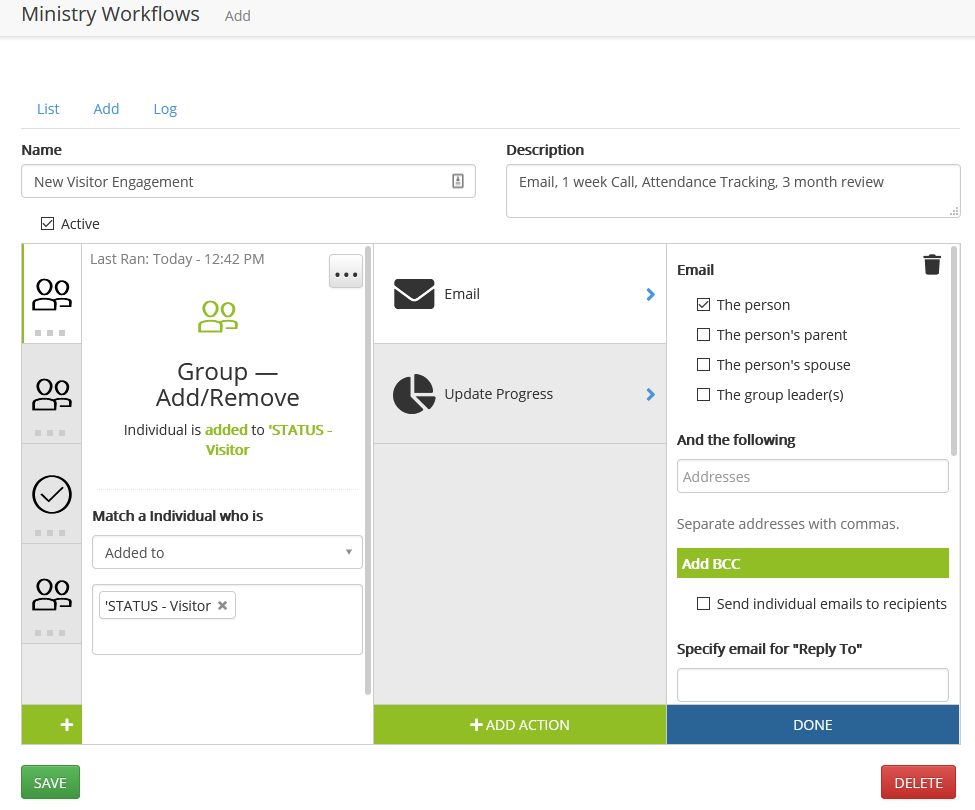
Access Workflows from the left menu
Use the Add tab at the top and then:
- Enter a Name and Description
- Add a trigger
- Add one or more actions
- (repeat steps 2 -3 for multiple triggers)
- Click SAVE
Updated
Was this article helpful?
0 out of 0 found this helpful
Have more questions? Submit a request
Sorry about that! How can we improve this article?
Thanks! Your feedback helps us improve!
There was a problem submitting your feedback. Please try again later.
If you have an issue that requires help or feedback, please Contact Support.